How to Buy an Office Chair That Fits Your Body, Not Just Your Budget
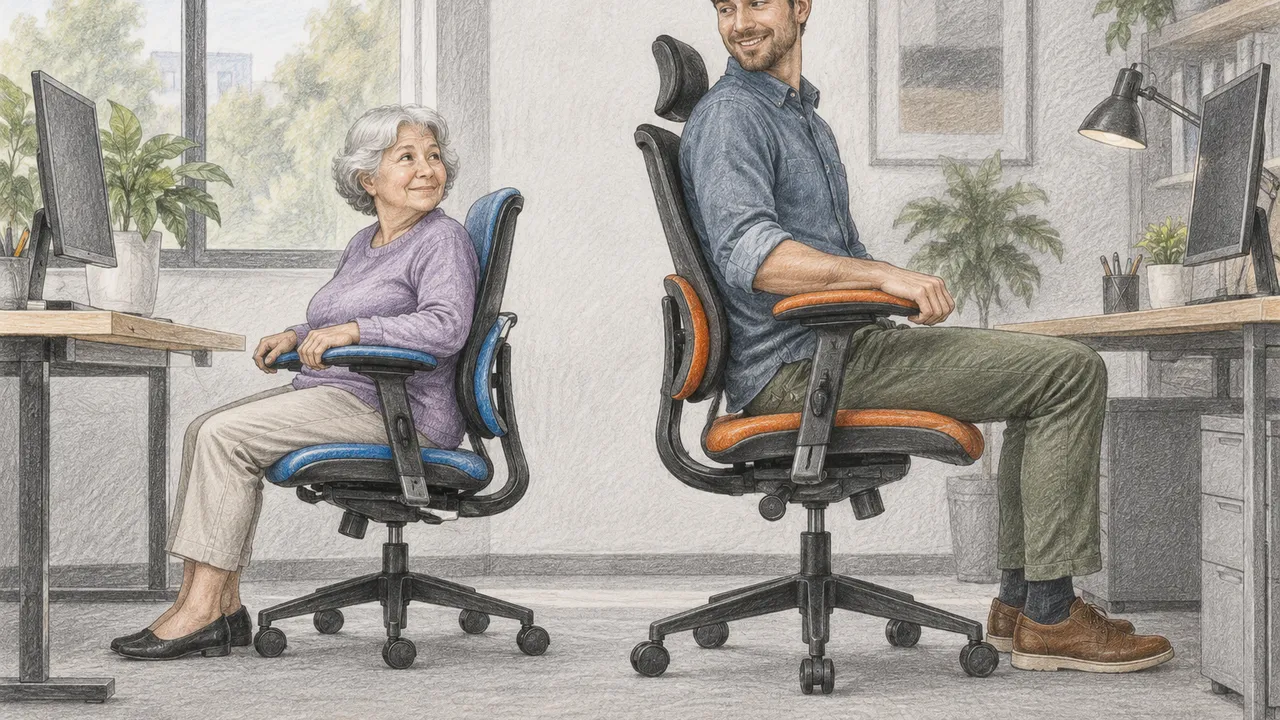
An office chair can have an impressive adjustment list and still be the wrong size. A deep seat may push a shorter shopper away from the backrest; a low chair may leave a taller shopper with cramped hips. Price, padding and an “ergonomic” label cannot establish whether a chair fits. If you share a workstation, each person should complete the fitting sequence rather than reuse someone else’s settings.
Shop in a specific order: fit the seat, position the back support, test the arms, then check the desk. Finally, verify that each advertised adjustment reaches your useful range. Bring your usual work shoes and desk measurements to a showroom, or repeat these checks during a clearly documented home trial.
1. Set seat height, then check seat depth
Sit all the way back with your feet supported and your shoulders relaxed. Adjust the height until your thighs feel supported without pressure behind your knees. Knees roughly level with, or slightly below, your hips are a useful starting point, not a mandatory angle. Recheck after the cushion compresses under your weight.
Next, adjust seat depth while keeping contact with the backrest. Leave roughly two or three finger widths behind your knees, then judge pressure and support rather than chasing an exact gap. A shorter seat can also be wrong if it leaves too much thigh unsupported.
Check usable seat width while shifting sideways. Raised cushion bolsters or a rigid mesh frame can press against your outer thighs even when the published seat width looks generous.
- Check height with your normal footwear.
- Confirm the seat slides without moving the backrest out of reach.
- Test whether the cushion edge presses into your thighs.
- Keep a footrest available if desk height requires raising the chair.
2. Put lumbar support where your back needs it
With the seat fitted, move the lumbar support toward the inward curve of your lower back, generally around the beltline. It should feel supportive rather than like a hard ridge. Adjustable height and adjustable prominence do different jobs: one changes location, while the other changes how strongly the support projects forward.
Recline slightly and return upright several times. The support should remain useful through your working positions, without forcing you forward or encouraging you to perch on the seat edge. If the backrest is too tall, wide or strongly curved for you, a small lumbar adjustment may not solve the mismatch. Try another chair size or backrest shape instead of assuming extra padding will compensate.
Adjust recline tension separately from lumbar prominence. You should be able to lean back without bracing your feet, while retaining enough resistance that the backrest does not drop away unexpectedly.
3. Test armrest range with your shoulders relaxed
Let your upper arms hang naturally, then bend your elbows as though typing. Bring the armrests up to meet your forearms without lifting your shoulders. Supports set too wide can make a smaller shopper reach outward; supports set too close can crowd a larger shopper’s hips or elbows.
Try the actual controls, not just the showroom salesperson’s demonstration. Marketing terms such as “3D” and “4D” describe movement differently across manufacturers and do not establish usable range. Check whether the pads stay where you put them and remain comfortable when you reach for a mouse.
Notice where pad edges contact your forearms during mouse use. A hard corner or narrow pad can create concentrated pressure; reposition it and reject designs that still cause discomfort.
- Lower the arms fully and check shoulder position.
- Move pads inward and outward, if possible.
- Test forward, backward and pivot adjustments.
- Check hip clearance between the armrest structures.
4. Make the chair work with your desk
Measure the desk’s underside, including drawers, aprons and keyboard trays—not just its advertised top height. Check the space available for your thighs and knees, plus how closely you can approach the keyboard. A chair that fits in isolation may fail once its armrests hit the desk.
Use the table to identify the mismatch before replacing furniture. Raising a chair to reach a fixed desktop may require a stable footrest. Lowering it simply to slide underneath can leave the keyboard too high. With an adjustable desk, fit the chair to your body first, then bring the work surface to you.
Check floor-level clearance too: desk crossbars, chair-base spokes and a footrest can compete for space. Roll into position and confirm you can move both feet without striking these obstructions.
| What happens | What to check |
|---|---|
| Shoulders rise while typing | Work surface or armrests too high |
| Feet lose support | Chair raised for desk; footrest needed |
| Armrests strike the desktop | Minimum arm height and underside clearance |
| Knees contact a drawer | Usable opening, not overall desk dimensions |
5. Verify the specifications and the exit plan
Before paying, find the exact model’s dimension sheet and adjustment guide on the manufacturer’s official site. Distinguish seat width from overall chair width, usable seat depth from cushion depth, and arm-pad travel from spacing between the arms. Maximum weight capacity is a limit, not proof of fit or comfort.
During a trial, spend at least 15–20 minutes typing, reading and reclining, then repeat across normal work sessions if returns allow. No brief test guarantees all-day comfort. For purchases in October 2026, check current specifications and seller terms rather than relying on older reviews; similarly named versions can use different seats, cylinders or arms.
Keep a short trial log with settings, tasks and any pressure points. Change one adjustment at a time so you can distinguish a correctable setup problem from a persistent mismatch.
- Confirm the height range for the selected cylinder and casters.
- Check return deadlines, packaging rules, fees and return freight.
- Ask whether assembled chairs qualify for returns.
- Use federal workplace-safety guidance for workstation basics, not product endorsements.
Verify specifications and return terms with official manufacturer and retailer sources; this guide is not personalized medical advice.
AI Assistance Used — AI assistance was used in researching and drafting this article. It was reviewed, edited, and fact-checked by Lisa Barber before publication.