Where to Put Home Security Cameras Without Recording the Whole Neighborhood
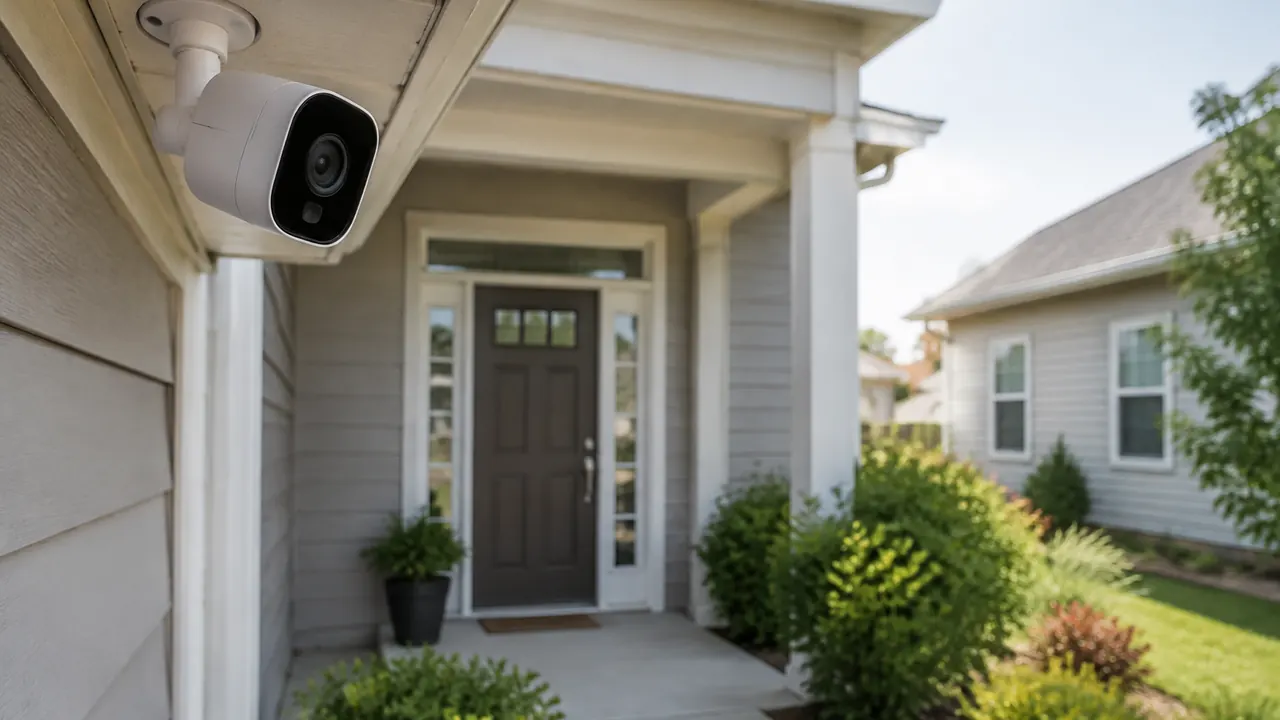
A home security camera should answer a practical question: Who approached this entrance, what happened at the door, or did someone enter the garage? It does not need to document every passing car or a neighbor’s daily routine. A tightly framed view of your own approach usually produces more useful footage, fewer irrelevant alerts and less friction with the people living nearby. Start with the event you want to understand, then choose the mounting position.
For a 2026 installation, placement is only half the job. Many current cameras offer package detection, activity zones and cloud-based search, but those features do not necessarily limit what gets recorded or uploaded. Check the actual saved footage, audio controls and account settings before considering the installation finished. The goal is a small, well-maintained system that captures useful details without turning the block into your surveillance area.
1. Start with entrances, not a perimeter of cameras
Walk the property and list the routes someone would actually use to reach a door, accessible window or detached building. Prioritize the front entrance, a regularly used side or rear door, and an attached garage approach. You may cover two needs with one carefully positioned camera. A wide backyard view is less valuable if it shows distant movement but cannot distinguish what happened at the door.
For each proposed location, define one job and test whether the view supports it. A doorbell camera may capture visitors and deliveries, while a garage-mounted camera can cover vehicles on your driveway. Neither automatically needs the street in its frame. If a hedge or parked vehicle blocks the important approach, adjust the location before adding another device. Renters and owners in managed communities should verify mounting permissions and applicable association rules.
- Front entrance: Include the visitor’s standing position and package landing spot, not just the walkway.
- Side or rear door: Cover the final approach and door area while avoiding neighboring patios.
- Garage or driveway: Favor your vehicles and garage opening over a broad street-facing panorama.
- Shared access: Check who controls the space and discuss a narrow view before mounting anything.
2. Find an angle that captures people, not just heads
Before drilling, temporarily hold the camera at the proposed position and have someone approach naturally. Review recorded clips, not only the live preview. A very high camera may be harder to reach but record mostly hats and the tops of heads. A steep downward angle can also lose faces near the door. Follow the manufacturer’s mounting guidance, then adjust for the entrance, lens and detection technology.
Bring the subject into a useful part of the frame without aiming across the property line. More pixels cannot reliably rescue a face that occupies only a tiny corner of a wide shot. Avoid assuming a driveway camera will read moving license plates, especially at night; that task often requires specialized positioning and equipment. Check the view with the door open, the car parked and seasonal foliage present. Leave enough framing margin to see an approach, but not so much that the camera becomes a neighborhood overview.
| Position | Useful coverage | Main trade-off |
|---|---|---|
| Beside the front door | Visitors and delivery area | May need an angle bracket to avoid a wall or neighbor |
| Under porch eaves | Sheltered view of the entry path | Excess height can hide faces |
| Beside the garage | Garage opening and parked vehicles | Headlights can overwhelm the image |
| At a side entrance | Narrow approach to a secondary door | Nearby walls can reflect infrared light |
3. Test nighttime footage before committing
A crisp daytime picture does not establish nighttime performance. After dark, have someone walk toward the entrance at a normal pace, pause at the door and carry a package away. Look for a recognizable face and visible actions, not simply a bright image. Motion blur, deep porch shadows and a bright streetlight behind the person can make footage disappointing even when the preview looks attractive.
Infrared illumination can bounce off nearby siding, soffits, spiderwebs and glass, washing out the scene. Keep the lens clear of obstructions and avoid pointing an infrared camera through a window. Color night modes generally depend on available light or built-in illumination; check whether the result remains useful when someone moves. If you add lighting, aim it onto your own approach, shield it from neighbors and avoid glare into the lens. Test again with porch lights off, headlights passing and wet pavement reflecting light.
- Replay downloaded footage at normal speed to judge moving subjects, not just still frames.
- Check whether motion wakes a battery camera early enough to capture the full approach.
- Confirm that a spotlight does not shine into nearby bedrooms or startle drivers.
- Inspect the lens periodically for dirt, insects and condensation that can spoil night images.
4. Narrow the view, then configure real privacy masks
Physical positioning is the first privacy control. Tilt inward, choose a narrower view where available, or use an appropriate mounting wedge to exclude a neighbor’s windows, deck or yard. Public sidewalks may be difficult to avoid entirely, but include only the portion necessary to understand activity at your entrance. Do not assume that visibility from your property settles every legal question; local rules and the circumstances still matter.
Next, distinguish privacy masks from activity zones. An activity zone commonly controls which motion produces alerts or event recordings; it may not hide anything in live view, continuous recording or the cloud. A privacy mask is intended to obscure a selected area, but implementation varies. Verify its behavior in saved clips, thumbnails, downloads and shared views. Ask the provider whether masking occurs before footage leaves the camera. If it cannot explain the processing, change the physical angle rather than relying on the setting. Recheck masks after firmware updates, camera movement or a reset.
| Control | Typical purpose | What to verify |
|---|---|---|
| Activity zone | Limit motion triggers or alerts | Whether footage outside the zone is still saved |
| Privacy mask | Obscure a selected image area | Whether all recording and viewing paths apply it |
| Person or package filter | Reduce irrelevant notifications | Whether other events remain recorded |
| Pan-and-tilt limits | Restrict camera movement | Whether tracking or preset views can expose excluded areas |
5. Treat the microphone as a separate decision
Video and audio recording can fall under different legal rules. State wiretapping and eavesdropping laws vary, including whose consent is required and when a conversation is protected. The fact that a camera is visible, or that someone is outdoors, does not automatically resolve the issue. A microphone near a shared walkway may capture conversations unrelated to your security needs. If audio is not necessary, disabling recording is a sensible starting point.
Check separately for microphone capture, stored audio and two-way talk; an app’s speaker mute may silence playback without stopping recording. Do not assume a posted notice supplies legally sufficient consent everywhere. For shared entrances, tenants, household workers or a dispute involving surveillance, consult a qualified local attorney about the actual setup. Tell household members what the system captures, too. Before sharing an incident clip, listen for unrelated conversations and avoid publishing footage that unnecessarily identifies neighbors, children or visitors. Share only what is needed with the appropriate recipient.
6. Mount securely without creating a maintenance problem
Choose solid backing, the right fasteners for the surface and a location you can safely maintain. Screws into sound framing or suitable masonry anchors generally offer a more dependable installation than an improvised adhesive attachment. Follow the device’s weather-exposure rating and installation instructions; shelter under an eave does not make an indoor camera suitable outdoors. Keep the mount steady so wind does not repeatedly shift the frame or trigger motion alerts.
Protect wiring and connectors, not just the camera body. Use manufacturer-approved outdoor accessories and seal penetrations appropriately for the wall assembly. Plan for drainage where the instructions call for it, and avoid pinching cables in doors or windows. Do not defeat electrical-box seals or improvise connections to household wiring. A licensed electrician is appropriate for work involving line voltage or an uncertain existing circuit. Battery and solar models still need service access, and a solar panel needs adequate exposure without forcing the camera into a poor viewing angle.
- Place the camera beyond casual reach where practical, without sacrificing a useful face-level view.
- Route accessible cables to reduce accidental pulls, tampering and tripping hazards.
- Leave safe access for charging, lens cleaning, storage-card replacement and mount adjustments.
7. Secure the account and save only what you need
A narrow camera angle cannot protect footage if the account is easily accessed. Use a unique password or a passkey if supported, enable multifactor authentication and secure the recovery email account. Give other household members individual access rather than sharing credentials, and remove former users promptly. Keep camera, app and router software updated. Before buying, check the manufacturer’s update policy and whether important controls depend on a subscription.
Choose retention deliberately rather than accepting the longest available history. Keep routine footage only as long as your actual needs justify, while saving relevant incident clips before automatic deletion. Confirm whether event recordings, continuous video, cloud backups and local cards follow different schedules. Local storage reduces some cloud dependence but still needs physical and account protection. Review connected services, shared links and any neighborhood-sharing defaults. Revisit the setup after a move, household change or subscription renewal: fewer unnecessary recordings and fewer authorized viewers usually make a security system easier to manage.
Check current product terms and local recording laws, and consult a qualified attorney or installer when your situation requires professional guidance.
AI Assistance Used — AI assistance was used in researching and drafting this article. It was reviewed, edited, and fact-checked by Lisa Barber before publication.