AI Photo Restoration Can Invent Faces: How to Preserve the Original
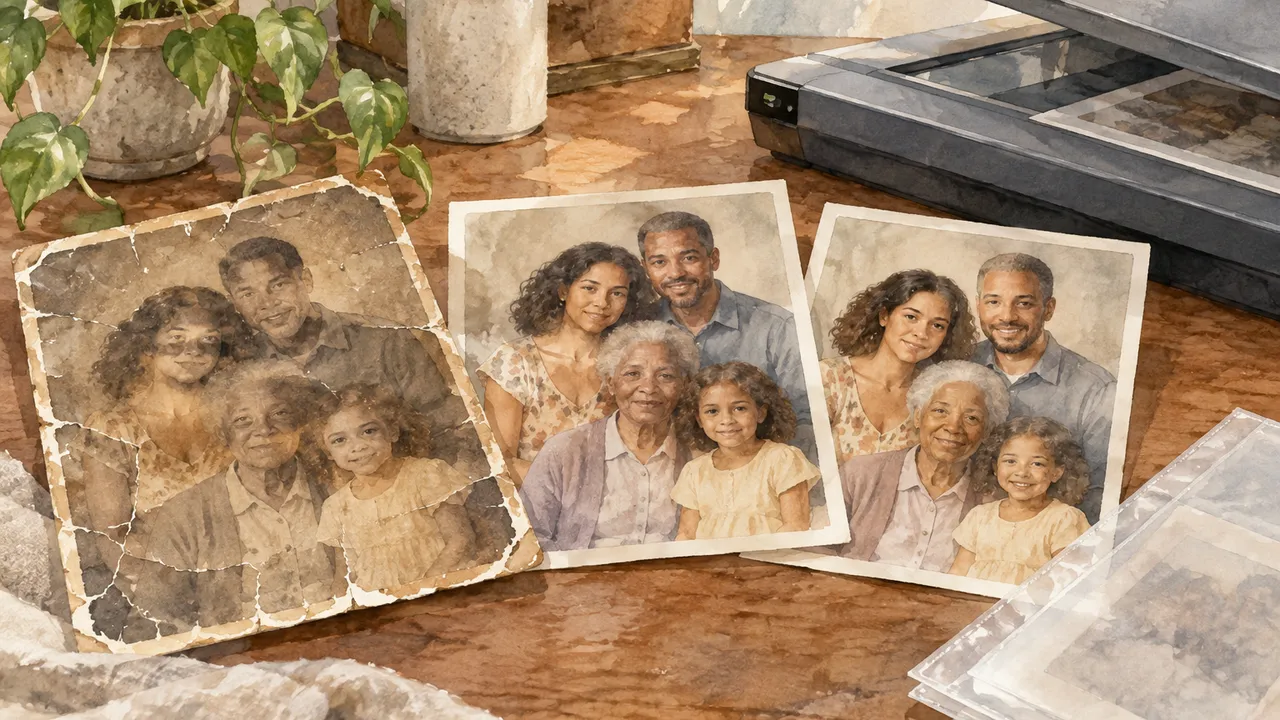
An AI-restored family photograph can look sharper and more lifelike while becoming less faithful to the person photographed. When a tool fills in blurred eyes, missing teeth or damaged skin, it may generate plausible features rather than recover recorded information. A convincing face is not necessarily an accurate likeness.
The safest approach is to preserve the physical photograph and an untouched digital master, then treat every restoration as a separate interpretation. As of October 2026, the central distinction remains unchanged: software can improve access to surviving evidence, but it cannot establish what an unrecorded detail originally looked like.
1. Capture the photograph before changing it
For loose prints in stable condition, use a clean flatbed scanner with automatic enhancement, sharpening and dust removal switched off. Around 600 pixels per inch, or ppi, is a practical starting point; 600–1,200 ppi may help with small prints or enlargements. Higher settings cannot recover detail absent from the print. Check the scanner’s optical resolution rather than its interpolated maximum.
Scan in color even for black-and-white prints to retain stains, inscriptions and paper tone. Capture the whole print, including borders, and scan the back separately. Save an untouched TIFF master, uncompressed or losslessly compressed, and make JPEG copies for convenient sharing. Negatives and slides need suitable transparency equipment and usually substantially higher optical resolution.
- Handle photographs by their edges with clean, dry hands.
- Never force curled prints flat or peel apart stuck photographs.
- Use a conservator for flaking, moldy or firmly mounted originals.
2. Protect the source and its history
Store originals in photo-safe enclosures, ideally materials that have passed the Photographic Activity Test. Suitable sleeves include uncoated polyester, polypropylene or polyethylene; avoid PVC. Choose a cool, dry interior location rather than an attic, basement or sunlit shelf. Do not laminate originals or attach adhesive labels directly to them.
Give each photograph a stable identifier and connect its files to a short record: known names, approximate date, location, ownership and who supplied the identification. Mark guesses as uncertain. Keep preservation masters separate from editing folders so that an app’s save command cannot silently replace the only faithful scan.
- Keep multiple copies on different storage devices, including one off-site.
- Check periodically that backups open and can actually be restored.
- Record scanning settings and retain captions, envelopes and album context.
- Name derivatives clearly: conservative repair, AI reconstruction or colorized interpretation.
3. Separate repair from reconstruction
Conservative repair aims to make surviving information easier to read without changing identity-bearing features. Modest tonal adjustments and careful dust cleanup can serve that goal, although cloning still replaces pixels. Generative reconstruction goes further: it uses learned patterns to supply missing content. A face-enhancement button may combine several operations without explaining where ordinary processing ends and synthesis begins.
Judge a tool by its actual behavior, not labels such as “restore” or “HD.” Read its documentation for references to generative filling, face recovery or synthesized detail. Turn those features off for a conservative version, and work in reversible layers where possible. Keep any more ambitious reconstruction as an explicitly labeled alternative.
| Operation | Potential benefit | Main caution |
|---|---|---|
| Tonal correction | Reveals faint contrast | Clipping can erase information |
| Dust or scratch repair | Reduces distracting damage | Replacement pixels may cover real marks |
| Conventional sharpening | Emphasizes existing edges | Halos can resemble detail |
| Generative face recovery | Creates a clearer-looking face | Features may be invented |
4. Audit faces, edges and added color
Compare the result with the master at the same size, then inspect both at 100% magnification. Toggle between aligned versions rather than relying on memory. Watch the eyes, mouth, hairline and outline of the face. If a blurry patch becomes a crisp eyelash or individual tooth, ask whether the source contains enough information to support it.
Ordinary sharpening does not synthesize a face, but exaggerated edges can mislead viewers. AI upscaling may add textures or features that never existed. Colorization likewise estimates colors; believable skin tones, uniforms or wallpaper are not proof. Other dated photographs and family accounts can help, but do not conclusively establish a missing detail.
- Check for altered gaze, age, expression, freckles or tooth spacing.
- Look for bright edge halos and repeated, unnaturally uniform textures.
- Treat disagreement between tools as evidence of uncertainty, not a vote.
- Label unsupported colors as interpretive, even when they look natural.
5. Share the restoration without rewriting memory
Export a viewing copy alongside the original scan when practical. Use a caption such as “AI-assisted reconstruction; facial details and colors may differ from the original.” Put that disclosure in the visible caption, not only embedded metadata, which messaging apps and social platforms may strip. Retain the app name, processing date, settings and any reference images used.
Before uploading family photographs, check the provider’s current privacy policy for retention, model training, deletion and human review. Consider offline editing for sensitive collections, and seek agreement before uploading identifiable living relatives. For scanning and storage guidance, consult the National Archives or Library of Congress preservation pages. The successful restoration is not necessarily the smoothest image: it is one whose relationship to the surviving original remains clear.
Verify current tool behavior and privacy terms with providers, and consult a qualified photograph conservator before treating fragile originals.
AI Assistance Used — AI assistance was used in researching and drafting this article. It was reviewed, edited, and fact-checked by Leah Fornier before publication.